

Performance is only available for landing page and website projects. Google uses Core Web Vitals (LCP, INP, CLS) as a ranking signal. Sites that score poorly on these metrics risk lower placement in search results.
Steps
Open Performance
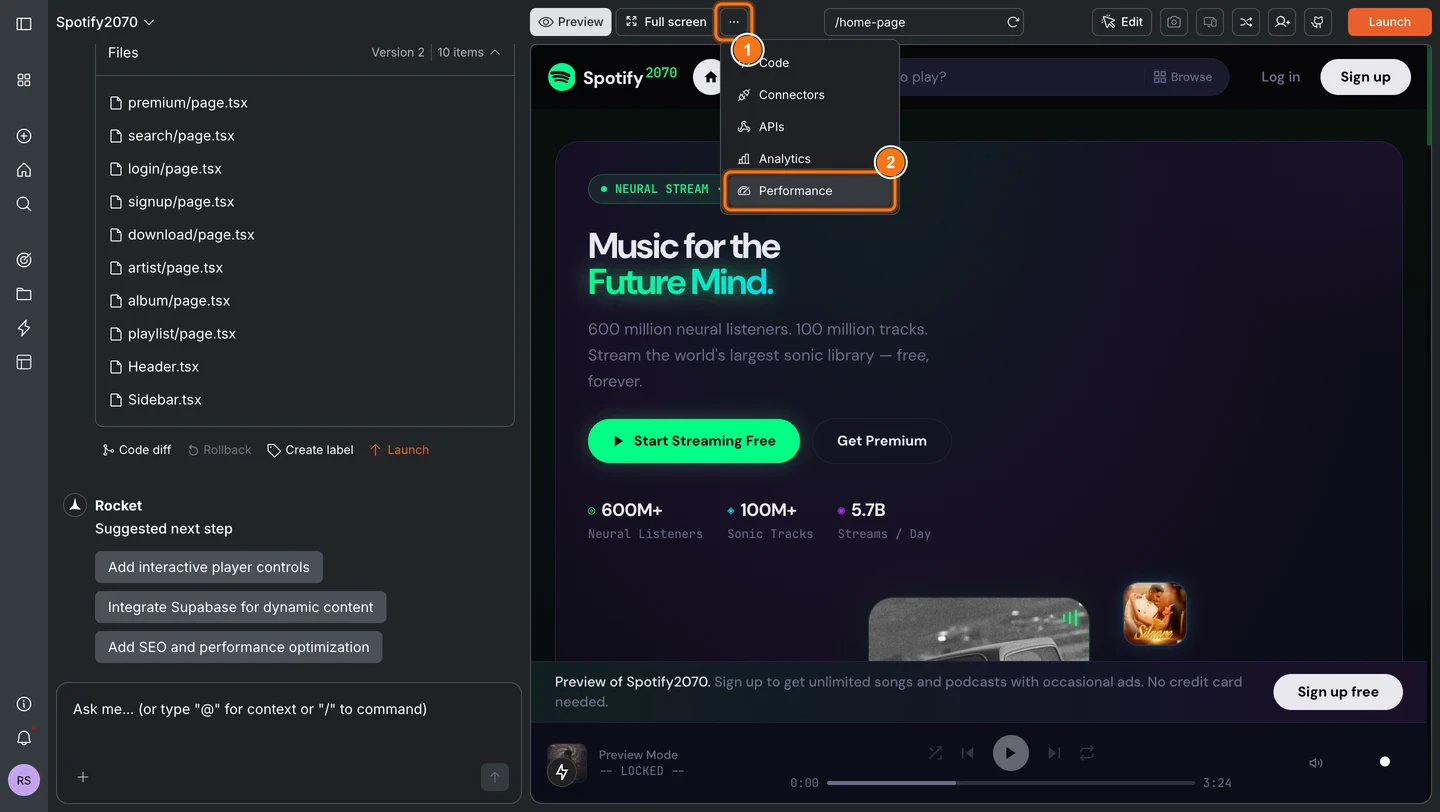
Click … in the top navigation bar of your task, then select Performance from the menu.
Pick what you want to measure
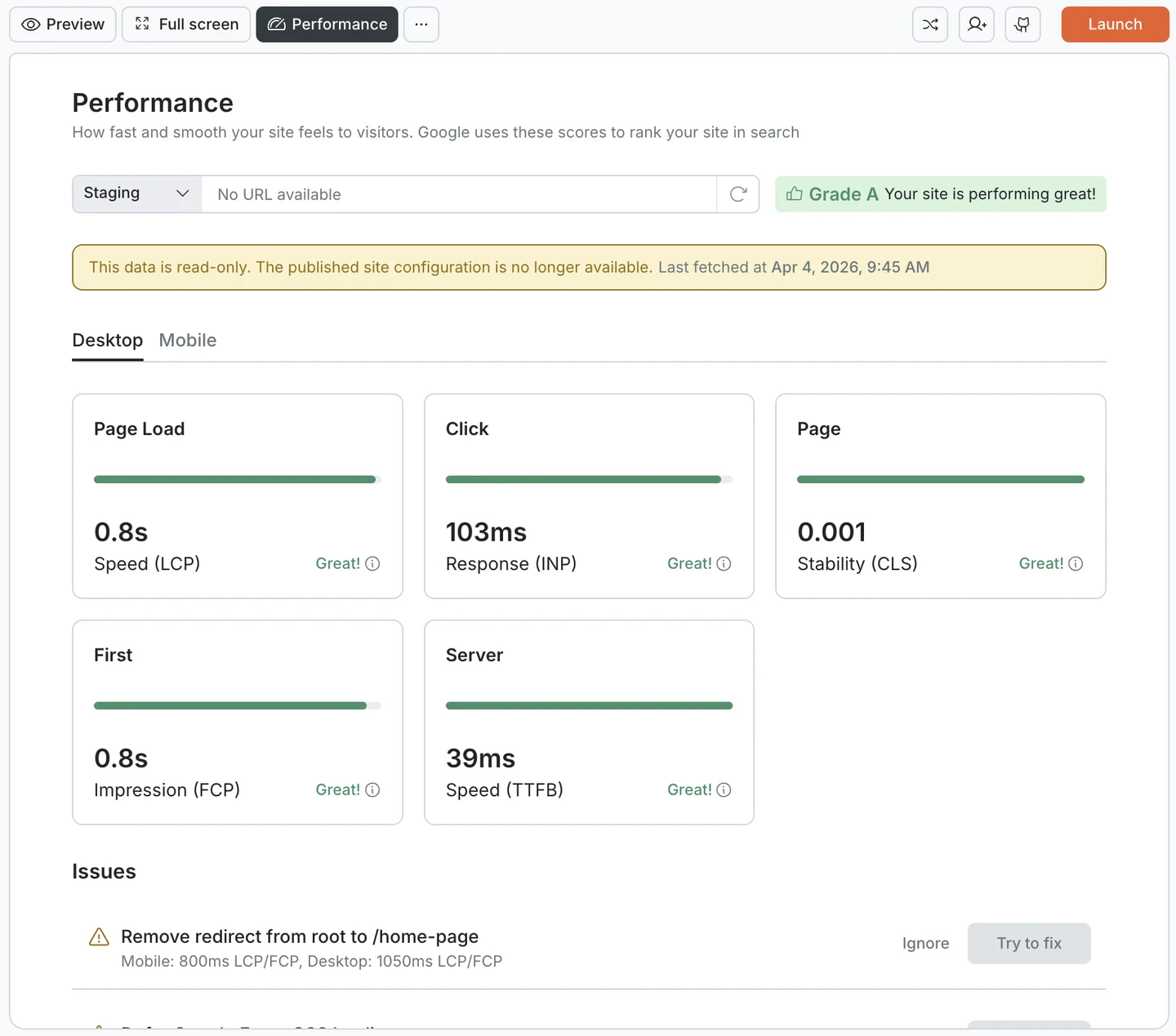
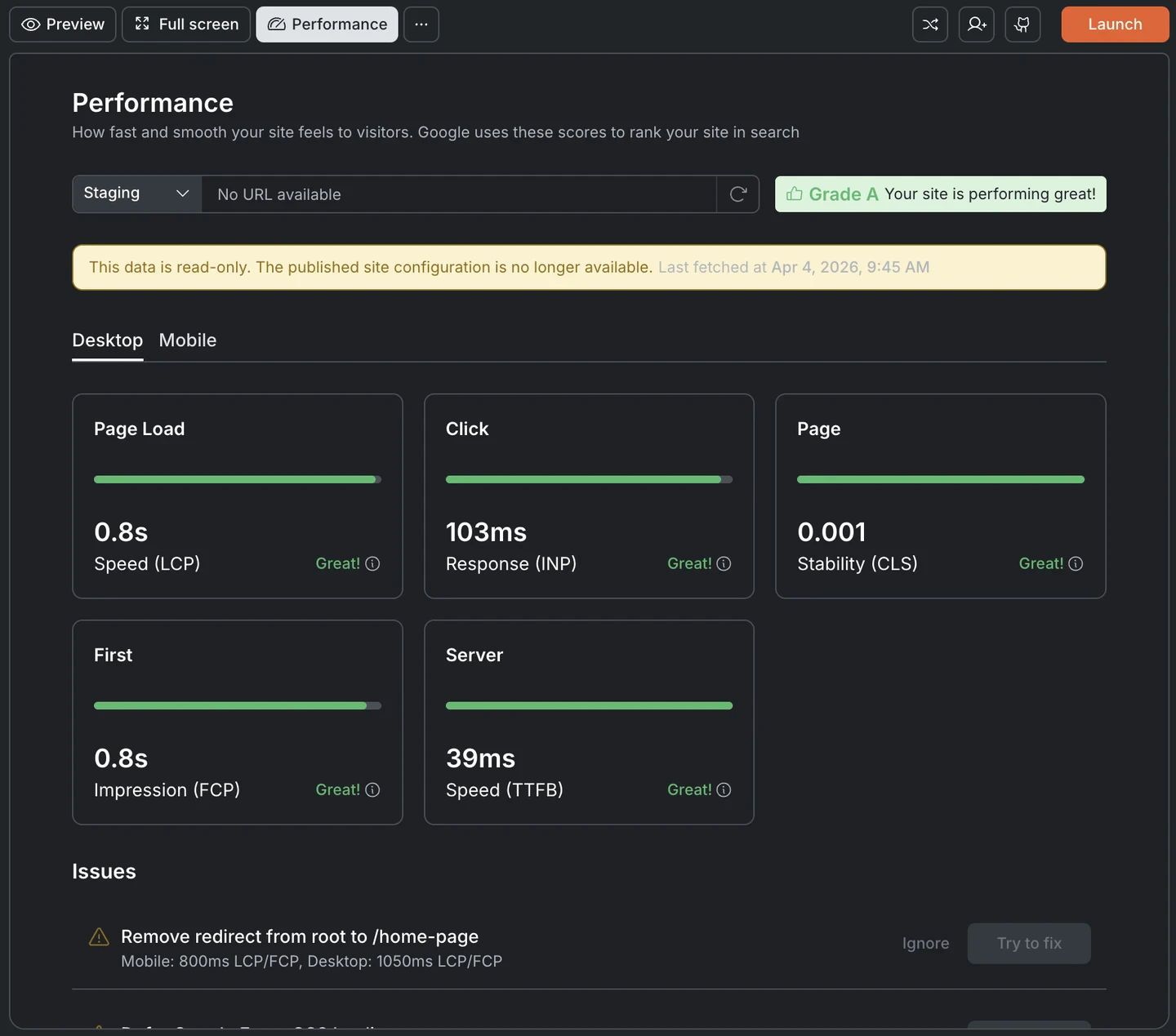
Use the Staging / Production toggle to choose which environment to check. Then switch between Desktop and Mobile to see scores for each.Desktop and mobile scores are measured separately because page loading differs by device. Mobile connections are slower, screens are smaller, and browsers handle resources differently. A page that scores well on desktop can still perform poorly on mobile. Check both.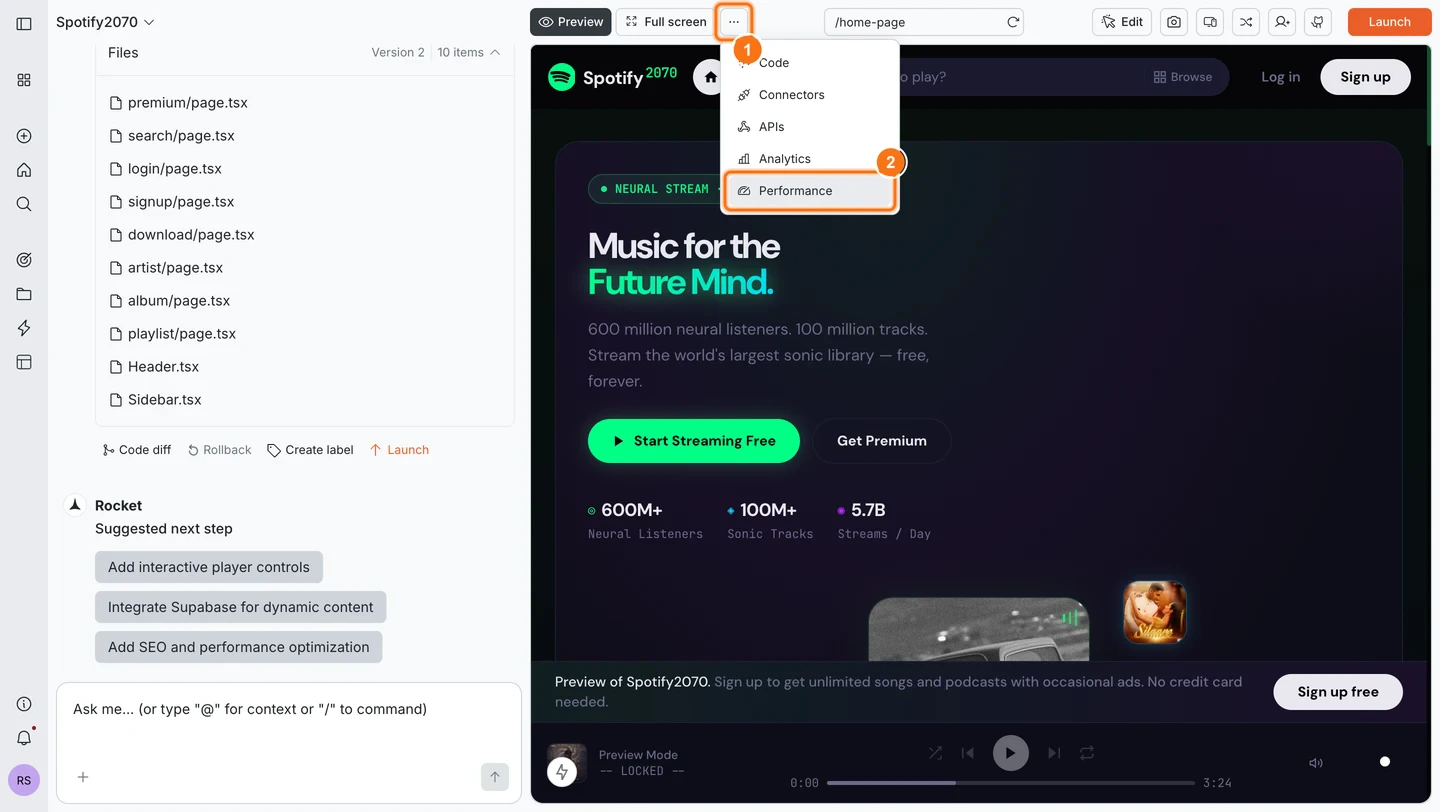
Fix what Rocket flags
In Issues, click Try to fix on items you want Rocket to resolve automatically.
What the dashboard measures
The Performance tab grades your site from A to F based on five metrics:- Three Core Web Vitals — the metrics Google uses for search ranking.
- Two diagnostics — supplementary metrics that help identify the root cause of slower scores.
- Core Web Vitals
- Diagnostics
Page load speed (LCP)
Largest Contentful Paint measures how long it takes for the main content of your page to become visible. This is usually the hero image, headline, or largest text block.Visitors decide whether a page feels fast or slow based on this moment. Faster LCP means more people stay.| Rating | Threshold |
|---|---|
| Great | Under 2.5 seconds |
| Needs Improvement | 2.5 to 4 seconds |
| Poor | Over 4 seconds |
Click response (INP)
Interaction to Next Paint measures how quickly the page reacts when someone clicks, taps, or types. A slow INP makes the site feel unresponsive or broken even after it has fully loaded.| Rating | Threshold |
|---|---|
| Great | Under 200ms |
| Needs Improvement | 200ms to 500ms |
| Poor | Over 500ms |
Page stability (CLS)
Cumulative Layout Shift measures how much the page layout moves while it is loading. A score of 0 means nothing shifts. Higher scores mean elements are jumping around, which causes misclicks and a frustrating experience.| Rating | Threshold |
|---|---|
| Great | Under 0.1 |
| Needs Improvement | 0.1 to 0.25 |
| Poor | Over 0.25 |
Thresholds are defined by Google’s Web Vitals standards and measured at the 75th percentile of page views. This means if 75% of your visitors see a “Great” score, your site passes.
Staging scores reflect your current work in progress. Production scores reflect what real users experience on your live site. Check both before publishing to catch issues before they go live.
Identified issues
Below the metric cards, Rocket lists specific issues detected on your site. Each issue includes the affected metric, the current value, and an estimated savings breakdown so you can see exactly where time or bytes are being lost.High LCP or FCP
Caused by unused JavaScript, render-blocking CSS, or unoptimized images.
Unoptimized images
Estimated waste in KiB shown for both mobile and desktop.
Missing cache headers
On generated images, affecting both LCP and FCP savings.
Fixing or ignoring issues
Every issue has two actions:- Try to fix. Rocket applies an automatic fix (compress images, remove unused code, add lazy loading, set cache headers). Each fix targets the exact metric that flagged the issue.
- Ignore. Dismisses the issue if it is not relevant or if you plan to address it manually.
Improving your scores
You can also describe the issue to Rocket in chat and it will apply the fix for you.Frequently asked questions
Why do Core Web Vitals matter for my business?
Why do Core Web Vitals matter for my business?
Google uses Core Web Vitals as a ranking signal. Sites that fail the thresholds risk being pushed down in search results.Beyond SEO, speed directly affects revenue: a Deloitte study found that a 0.1-second speed improvement increased travel site conversions by 10.1%.If you build sites for clients, a Grade A performance report is concrete proof of quality before they even review the design.
How often should I check my performance scores?
How often should I check my performance scores?
After every major change: adding images, new sections, third-party scripts, or fonts. Always before deploying to production. Rocket makes this a one-click task with the Refresh button.
What's the difference between staging and production scores?
What's the difference between staging and production scores?
Staging measures your work in progress inside Rocket. Production measures what real visitors experience on your deployed site. Scores can differ if your production environment has additional third-party scripts, different assets, or different server configurations.
What does the 'Try to fix' button actually do?
What does the 'Try to fix' button actually do?
Do I need technical knowledge to improve my scores?
Do I need technical knowledge to improve my scores?
No. The Try to fix button handles everything automatically. You can also describe the issue in plain language in Rocket’s chat and it will apply the changes.
Which three metrics does Google actually use for ranking?
Which three metrics does Google actually use for ranking?
LCP, INP, and CLS are the three Core Web Vitals that affect search ranking. FCP and TTFB are supplementary diagnostics. Rocket tracks all five because fixing TTFB or FCP often improves the core three as well.
What’s next?
SEO & discoverability
Performance scores directly affect your Google search rankings. Optimize your site for search engines.
Analytics
Track how performance improvements affect your traffic, bounce rate, and engagement over time.
Accessibility
Accessible sites tend to perform better due to cleaner HTML structure. Improve both at once.
Deploy to web
Deploy to production so performance can be measured against real traffic.